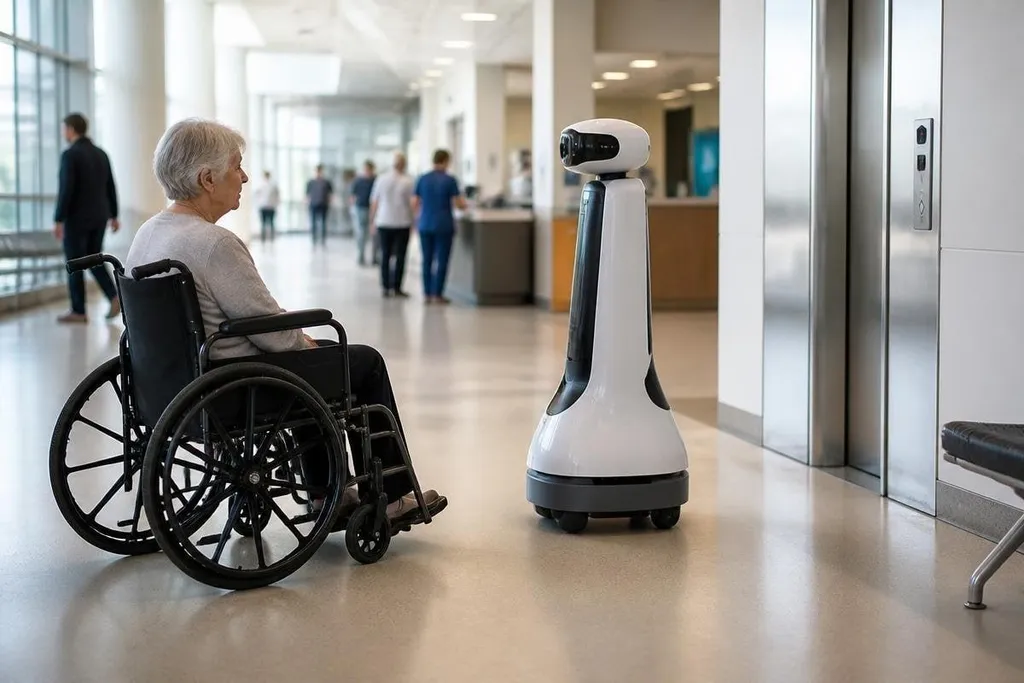
Placed in a station, hospital, or library, a robot can help a person find a door, carry an item, or reach staff. The hard part is giving that help without blocking paths, exposing private information, or making access depend on a machine that may fail.
- Mobile robots could guide visitors around blocked routes or busy buildings.
- Robotic arms may help with doors, counters, and items placed out of reach.
- Human staff still need a clear way to take over when the robot stops.
Start with the barrier
Public spaces already contain many barriers that a robot can’t fix on its own. A heavy door, a high service counter, poor lighting, a broken lift, or a narrow passage can turn a short visit into a difficult task.
That difficulty may affect someone using a wheelchair, cane, walker, or hearing aid. A useful system begins by naming the barrier.
A mobile robot might guide someone between a station entrance and a platform, but it needs a route with enough room for the person and the robot. It also needs to avoid tactile paving, curb ramps, fire exits, and queues rather than treating them as empty floor.
That changes the design question. The robot should fit the building as it is, while the building still needs proper access for people who never use the robot.
Where robots may help
Guidance is one practical use. Cameras and LiDAR, a sensor that measures distance with light, can help a mobile robot map indoor routes and give spoken or visual directions. A display with large text may help a visitor who cannot hear the robot, while audio instructions may help someone who cannot read the screen.
The system should offer more than one way to communicate. A person may need a quiet route, a slower pace, a lift instead of stairs, or a staff member rather than a machine. Those choices belong in the service design, not as an afterthought in the robot’s menu.
Physical help is another possible use. A robotic arm fixed near a reception desk could press a lift button, hold a door, or move a small item toward someone. The arm would need force limits, a clear stop control, and enough space for a wheelchair user to approach without reaching across moving parts.
Telepresence robots may help people who cannot travel to a public meeting, museum, or school event. A remote visitor could move through the space and speak with people there. That use raises a basic question about privacy: who can see the camera feed, where is it stored, and how does staff stop access when the visit ends?
Those privacy controls matter alongside the robot’s physical limits. Public-space robotics reporting can connect access claims to named machines, test settings, and the tasks they complete before the next section looks at where these systems stop working.
The limits are part of the design
Routes can change, crowds can block sensors, lift doors can close early, and background noise can hide a voice command. A person who relies on the robot needs a visible backup, such as a help button, a staffed desk, or a phone number that works from the same location.
Safety also includes dignity. A robot should not announce a person’s disability, record more video than the task needs, or force someone to explain a private need in front of a queue. Staff must know what the robot can and cannot do before they place it in a public area.
The strongest opposing view is that better signs, trained staff, working lifts, and accessible building layouts solve more problems than robots. I’d spend money on those basics first, then use robots for gaps that staff and building changes can’t cover.
A practical check before deployment
Use this short check before placing a robot in a public space:
- Name the task: write down the barrier, the person affected, and the point where help starts.
- Test the route: include doors, lifts, ramps, queues, tactile paving, and a blocked passage.
- Offer another channel: add spoken output, readable text, physical controls, or staff support.
- Set a handoff: make the help button visible and tell staff when they must take over.
- Limit the data: record only what the task needs, then state who can view it and when it is deleted.
- Check access without it: confirm that people can still enter, move, ask for help, and leave if the robot is offline.
Public-space robots will earn their place through small tasks done safely and with a human backup. The test is simple: when the robot stops, can the person still use the building?